Accounts for alumni are requested for access to the Health Science Committee Application Cycle. You will be notified by when your account is ready. The information below will help you access that account.
Note: Current students will use your Colgate login for access to the HSAC course.
Alumni account details
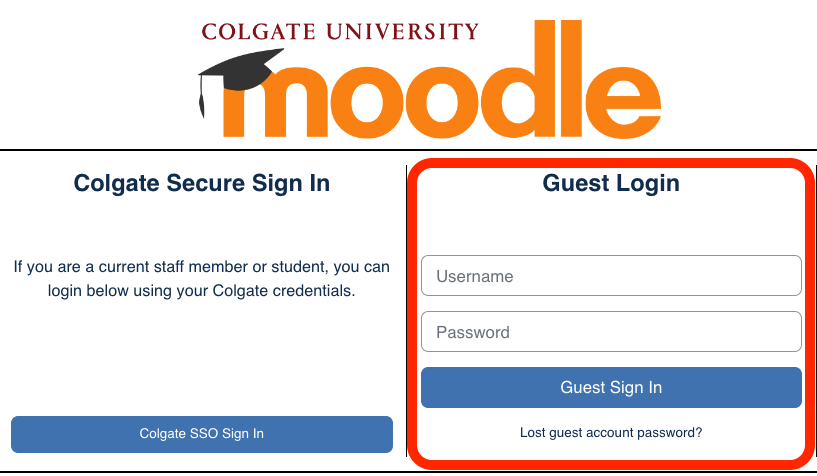
HSAC Alumni will use Moodle Guest accounts and will need to login as a Guest, not with the Colgate SSO Sign In. Your username will be the full email address which is registered with HSAC (e.g. bobama@colgate.edu or jbiden@google.com). You will receive an email from our Moodle Administrator that lets you know your new account has been created. It will have a temporary password for you to use to login. Once you login, you will be prompted to change your password.
You should see the HSAC course (i.e. Health Science Committee 2025 Application Cycle) when you login. Since we reconfigure your previous student Moodle account you may or may not see previous academic or other courses.
If you are having trouble accessing your HSAC course or have questions about logging in, please reach out to itshelp@colgate.edu.
